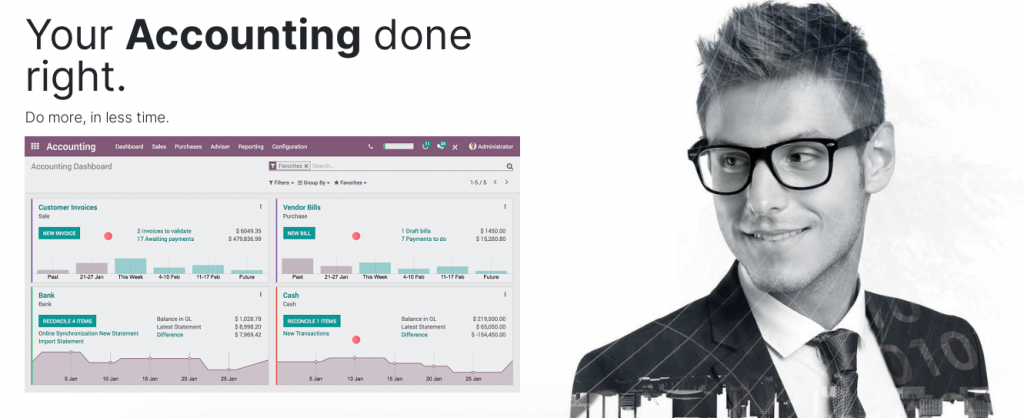
Double-entry bookkeeping
Odoo automatically creates all the behind-the-scenes journal entries for each of your accounting transactions: customer invoices, point of sale order, expenses, inventory moves, etc.Odoo uses the rules of double-entry bookkeeping system: all journal entries are automatically balanced (sum of debits = sum of credits).
Accrual and Cash Basis Methods
Odoo supports both accrual and cash basis reporting. This allows you to report income / expense at the time transactions occur (i.e., accrual basis), or when payment is made or received (i.e., cash basis).
Multi-companies
Odoo allows one to manage several companies within the same database. Each company has its own chart of accounts and rules. You can get consolidation reports following your consolidation rules. Users can access several companies but always work in one company at a time.
Multi-currencies
Every transaction is recorded in the default currency of the company. For transactions occurring in another currency, Odoo stores both the value in the currency of the company and the value in the currency of the transaction. Odoo can generate currencies gains and losses after the reconciliation of the journal items.
Accounts Receivable & Payable
By default, Odoo uses a single account for all account receivable entries and one for all accounts payable entries. You can create separate accounts per customers/suppliers, but you don’t need to.
As transactions are associated to customers or suppliers, you get reports to perform analysis per customer/supplier such as the customer statement, revenues per customers, aged receivable/payables.
Inventory Valuation
Odoo support both periodic (manual) and perpetual (automated) inventory valuations. The available methods are standard price, average price, LIFO (for countries allowing it) and FIFO.
Support eFaktur
The E-Faktur Module is installed by default with the Indonesian localization module. It allows one to generate a CSV file for one tax invoice or for a batch of tax invoices to upload to the Tax Office e-Faktur application.
Clear dynamic statements
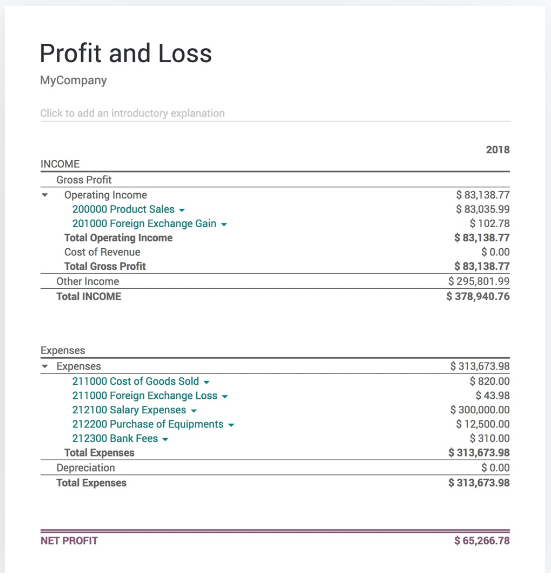
Your reports, the way you like them.
Easily create your earnings report, balance sheet or cash flow statements.
Quickly filter, zoom, annotate and compare any data.
Extra Modules for Assets and Budget
Fully integrated with other Odoo Apps : Expenses, Inventory, POS, Sales
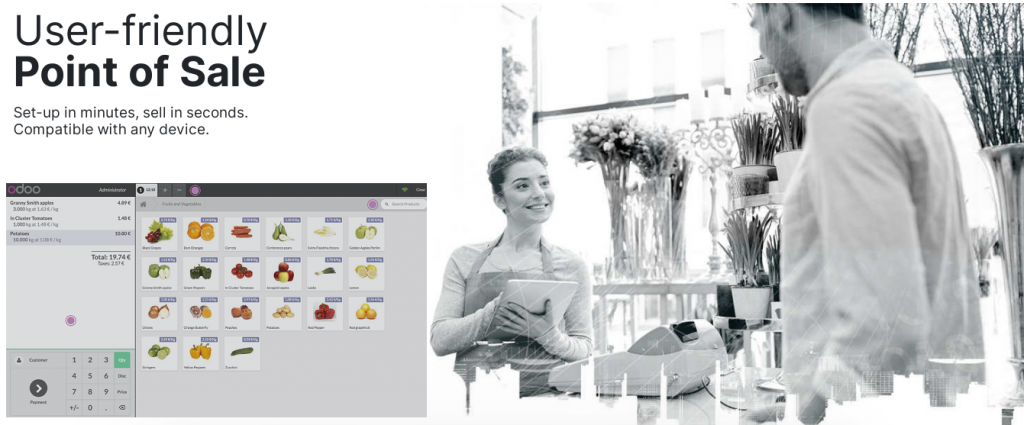
Compatible with any hardware

Smart Interface
Odoo POS is based on a smart interface that any retail company can use without difficulty. Because it’s extremely flexible, you can configure Odoo POS to meet your precise needs.
Online or offline
Keep in touch with your customers
And keep them coming back with Loyalty programs.
Restaurant interface designed for productivity

Spend less time at the counter, be there for your customers.
A Birds-eye view on your restaurant
With the floors & tables manager.
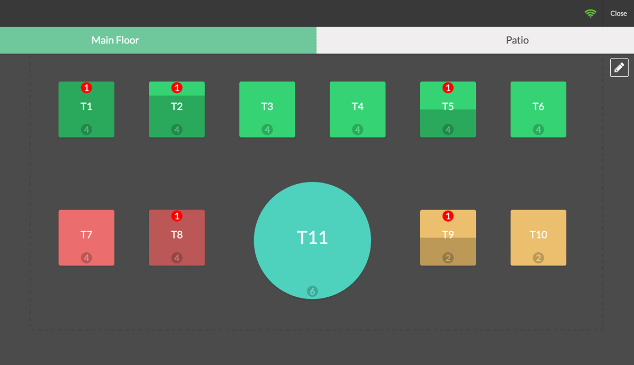
Odoo Restaurant lets you quickly overview your restaurant and jump from floor to floor to your table’s orders.
The floor plan will tell you exactly where your customers are, where the free tables are, who is still waiting for food, and how much room you have left.
Fully customizable floor plan
Supports multiple POS
Floor plan entirely optional
Can be configured on a POS basis
Integrated Inventory Management
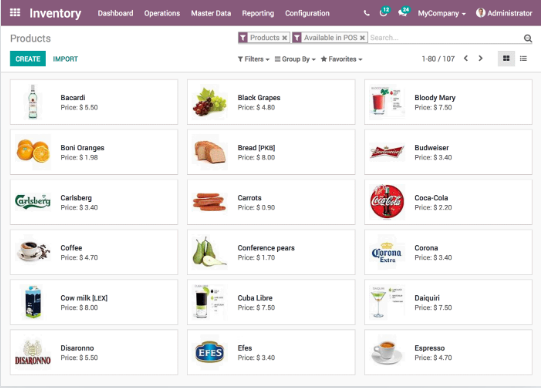
Odoo Inventory app automatically inputs any transaction from the POS in the stock. You can see in real-time the availability of products without losing time. You won’t need to set up separate stocks for the two apps and be a truly multi-channel business, without a headache.
Fully integrated with other Odoo Apps : Email Marketing, Inventory, Sales, eCommerce, Accounting
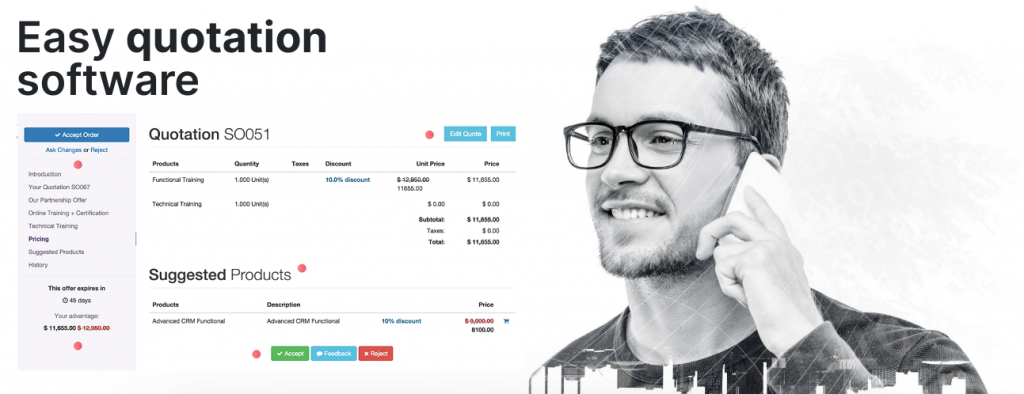
Sell more with quotations
Great prices lead to a great return
Design, implement, and adjust your pricing strategy to maximize revenue.
Use pricelist rules to compute the right price based on customer conditions.
Convince customers to buy more with discounts and coupons.
Quotations to sales orders
Convert quotations into sales orders with a single click.
Fully integrated with other Odoo Apps : CRM, Sign, Website Builder, Accounting.
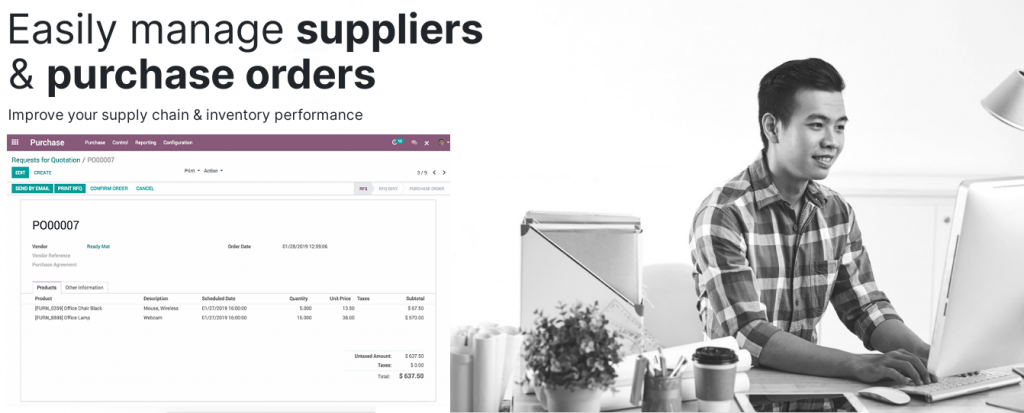
Automate your purchasing workflow
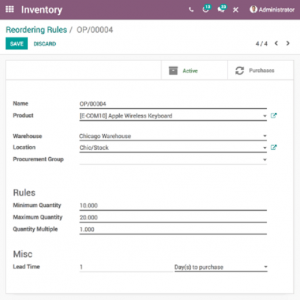
Improve your purchase and inventory performance with procurement rules depending on stock levels, logistic rules, sales orders, forecast manufacturing orders, etc. Select different replenishment methods for each product depending on your manufacturing and delivery strategies.
Supplier price lists & product availability
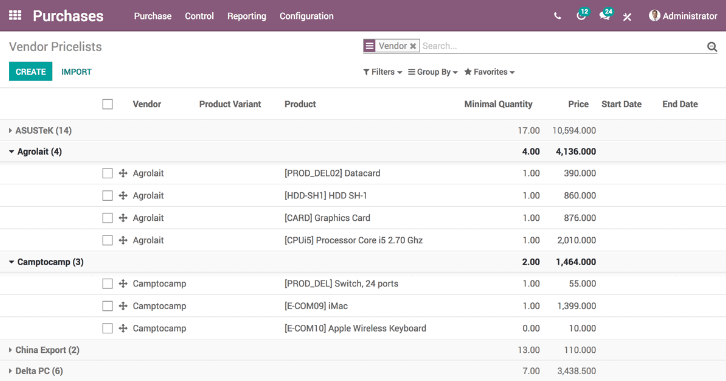
Easily import suppliers’ price lists and references to make smarter purchase decisions based on promotions, quantities and special contract conditions. Keep track of a product availability in your supplier’s stock and check your order status from within the app. You can even base your sales price on your supplier’s prices.
Get statistics on your purchases
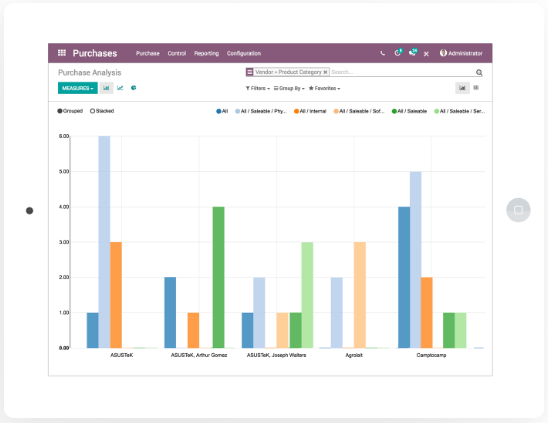
Get accurate statistics on your suppliers’ performance through flexible reporting: delivery delays, negotiated discounts on prices, quantities purchased, etc. Integrate purchases with analytic accounting to analyze your contracts’ profitability.
Manage several companies
Use a single Odoo instance to synchronize operations between different companies or warehouses. Create sales orders, share customers, suppliers and products and manage invoices for all companies at the same time. You can save even more time by automating the invoicing process between all the companies.
Fully integrated with other Odoo Apps : Inventory, Invoicing, Accounting.
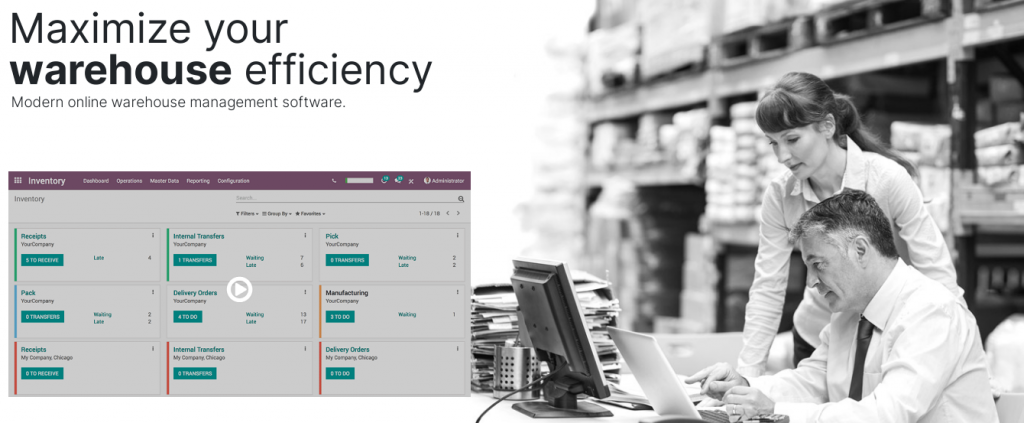
Improve performance & process time
Get the most efficient stocking method and improve all your internal operations. Odoo’s double-entry inventory has no stock input, output or transformation. Instead, all operations are stock moves between locations.
Less stock, no stockouts
Use order points and automated RFQs to make your supply chain more efficient than ever.
Advanced features made simple
Use cutting-edge automation and advanced routes to manage any warehouse.

Experience total traceability
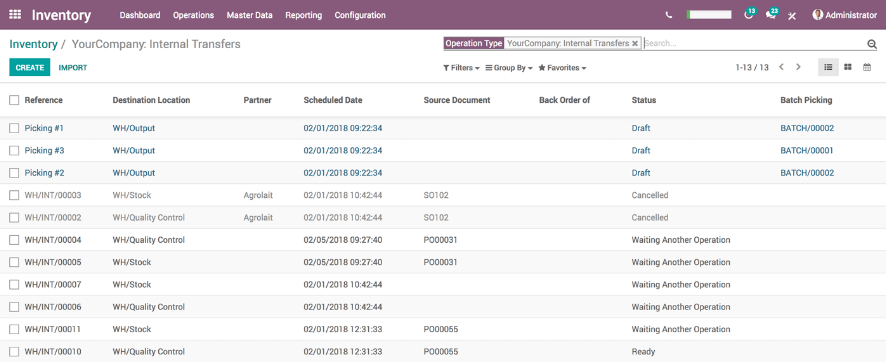
Track every stock move from purchase to warehouse bin to sales order. Trace lots or serials upstream or downstream from anywhere in your supply chain.
Clear and complete reporting
Make smarter decisions with real-time dynamic reports that you can save and share with anybody. Keep key information at your fingertips with custom dashboards.
Fully integrated with other Odoo Apps : Sales, Purchase & Accounting.
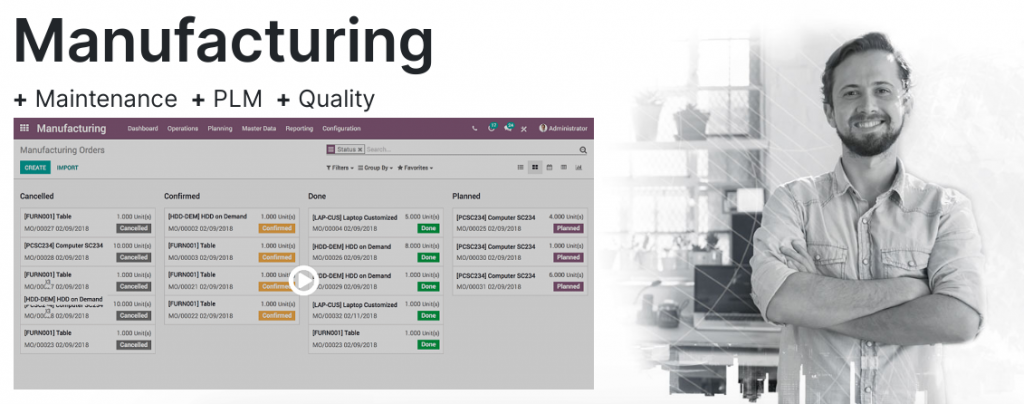
Manufacturing Reinvented
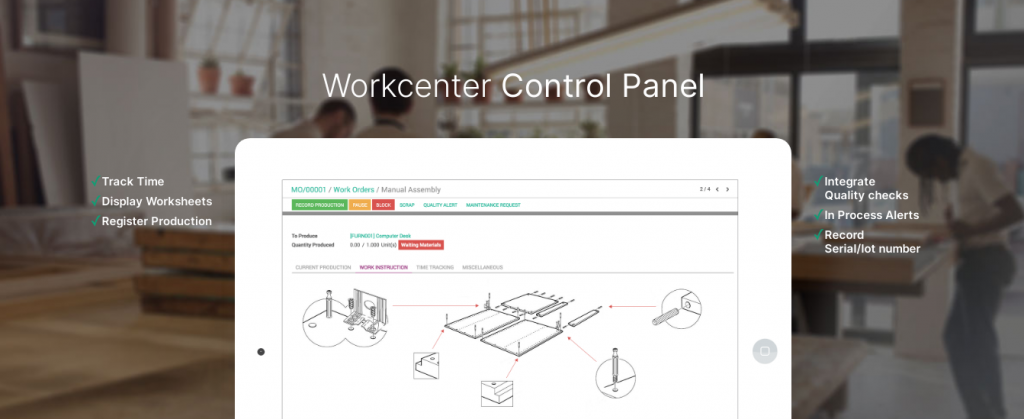
No more time clocking. Accurate planning directly based on real manufacturing times measures.
Realtime Communication. Display worksheets, quality alerts to workers during operations.
All-in-one. MRP, Quality, Maintenance and PLM fully integrated.
All you need in a Single Software
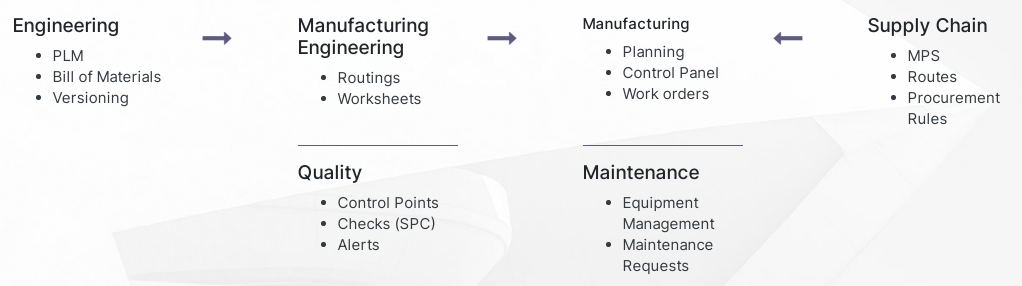
Workcenter Control Panel
Optimize your inventory level
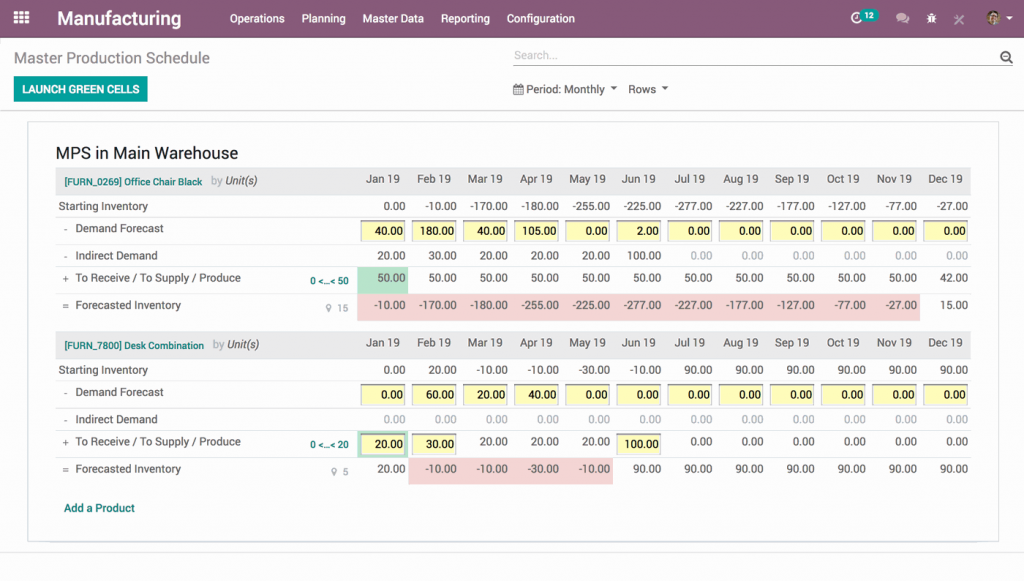
Use make-to-order rules, minimum stock rules or the master production schedule to automate procurements. Let the scheduler compute everything for you. Use routes, constraints and lead time to optimize inventory level and avoid shortages.
Barcodes, out-of-the-box
Whether you use lots, serial numbers or unidentified products, you can use barcodes to speed up operations at every step.
Great Reporting & KPIs
Control your productivity with real-time Overall Equipment Efficiency (OEE) reports and monitor the 6 big losses of TPM. Track maintenance KPIs like MTTR and MTBF. Create customized dashboards to monitor performance in real time.
Dynamic reports on everything from costing to traceability, performance analysis, OEE, and more help you make smarter decisions about your business.
Fully integrated with other Odoo Apps : Purchase, PLM, Maintenance, Quality.
Amazingly beautiful
Effortlessly create custom designs for product pages to showcase your business in a unique way.
Drag & drop building blocks to snap your designs into place and showcase your inventory.
Add product attributes such as color, size, or style to keep product lines easy to navigate.
Edit product pages with ease to always have your product information displayed the way you want it to be seen.
An All-in-One solution
With an integrated eCommerce platform, inventory and sales can easily be maintained via automatic stock adjustments and reporting.
Dedicated customer portals help keep customer data organized with order tracking and claims, allowing customers to download invoices and delivery orders as well as view pending shipments from a single location.
Marketing optimized
Boost your sales with cross selling and upselling opportunities on product pages, in the cart or at checkout.
Automatically recommend product accessories or suggested products and alternatives to show customers more of the items they might like, as well as provide increased exposure to all of your items in stock.
With the designer touch
Fully customizable pages and themes that allow you to create a professional design without being a designer. Easily adjust pages to fit your company’s unique style.
Fully integrated with other Odoo Apps : Website, Blogs, Sales, Email Marketing.
Additional Resources
The business solution Odoo is a modern, 100% web-based and modular suite of business apps with which you can manage all your company’s processes. Discover all the functionalities of the solution Odoo as well as the numerous videos on the Odoo website.
Accounting
POS and Restaurant
Sales
Inventory
Manufacturing
eCommerce
Hosting
Benefit from the advantages of using Odoo Enterprise Resource Planning 100% web-based.
Cloud-based SaaS
Accessed 24×7 anywhere anytime, your data 100% safe with routine daily backups. There is no need for special installation, the system can be easily accessed via a web browser. As SAAS (Software as a Service), the ERP we offer is not as expensive as other ERP and ready-to-use programs
On-premise Hosting
On-premise hosting has a number of benefits for the IT department. This is a mode of ERP hosting that gives the IT department total control over its IT infrastructure. All updates, additional modules and bespoke development are, therefore, managed by the IT department